Loading page…
Pitch
Description
Comments
Effortlessly extract database subsets for local development and debugging.
Project details
dbslice simplifies the process of debugging by allowing the extraction of minimal, referentially intact subsets from production databases. Instead of copying entire databases, dbslice intelligently retrieves only the necessary records, maintaining relationships and integrity, making it a vital tool for developers who need precise data to replicate and solve bugs.
dbslice is a powerful tool designed to help developers extract minimal, referentially-intact database subsets for use in local development and debugging. It addresses the challenge of reproducing bugs that require specific data from production databases while avoiding the inefficiency of copying an entire database.
Recreating bugs often necessitates the exact records that caused them, which can be difficult to obtain when working with large production databases. dbslice simplifies this process by allowing users to extract only the necessary components by following foreign key relationships, thereby maintaining referential integrity.
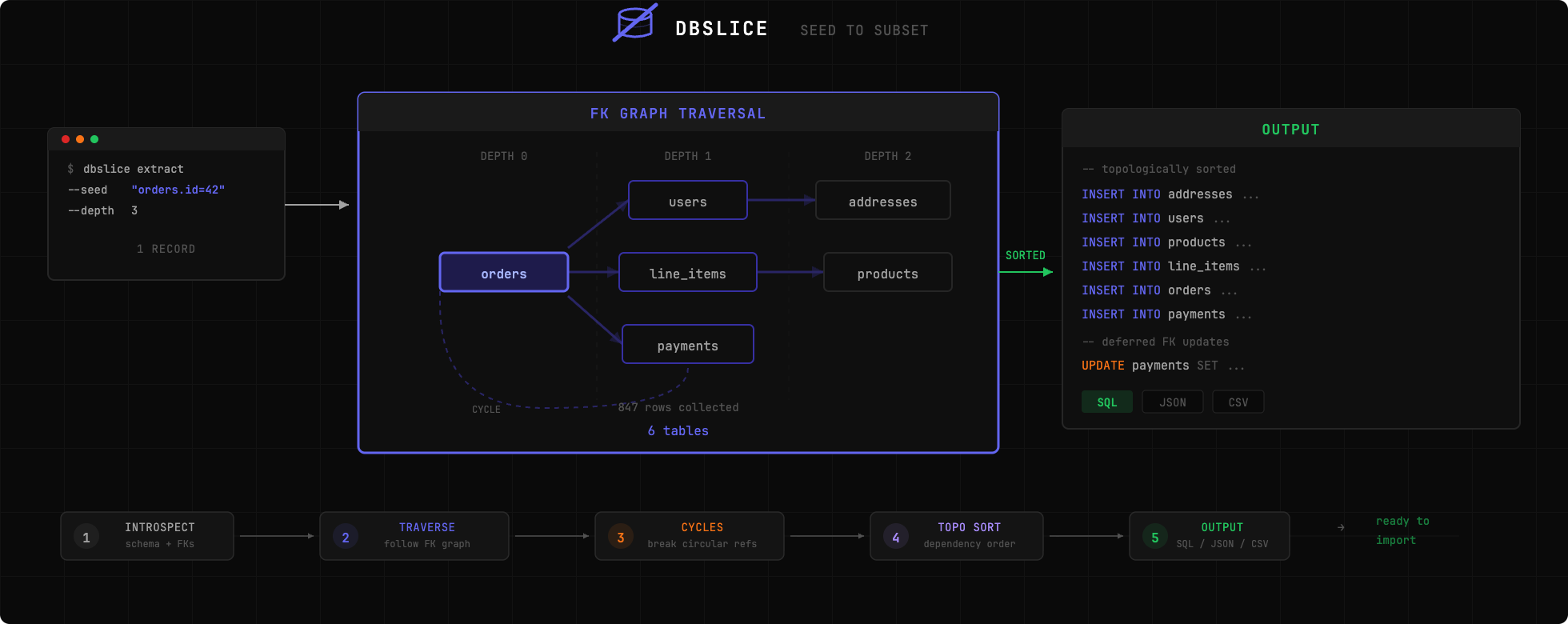
To get started:
# Extract an order and all related records
dbslice extract postgres://localhost/myapp --seed "orders.id=12345" > subset.sql

# Import into local database
psql -d localdb < subset.sql
| Database | Status |
|---|---|
| PostgreSQL | Fully supported |
| MySQL | Planned (not yet implemented) |
| SQLite | Planned (not yet implemented) |
Basic Extraction:
# Extract by primary key
 dbslice extract postgres://user:pass@host:5432/db --seed "orders.id=12345"

# Extract with WHERE clause
 dbslice extract postgres://localhost/db --seed "orders:status='failed' AND created_at > '2024-01-01'"
Anonymization Example:
# Auto-anonymize detected sensitive fields
 dbslice extract postgres://... --seed "users.id=1" --anonymize
Output Formats:
# SQL (default)
dbslice extract postgres://... --seed "orders.id=1" --output sql

# JSON fixtures
 dbslice extract postgres://... --seed "orders.id=1" --output json --out-file fixtures/
With dbslice, the daunting task of preparing subsets for debugging becomes a streamlined process, enabling developers to focus more on resolving issues rather than managing data extraction complexities.
Comments
0Start the conversation
Share the first comment.