
Swiftpick.nvim is a Neovim plugin designed to streamline file navigation in projects. Inspired by Harpoon, it offers rapid switching between files with minimal keystrokes, customizable key mappings, and the flexibility to maintain distinct file lists for different projects. Enhance productivity with an efficient workflow.
swiftpick.nvim is a Neovim plugin designed to streamline the process of switching between files within a project. With its intuitive interface and robust functionality, this plugin enhances workflow efficiency by allowing users to navigate their projects seamlessly. Inspired by the features of Harpoon, swiftpick.nvim introduces several modifications that significantly improve user experience.
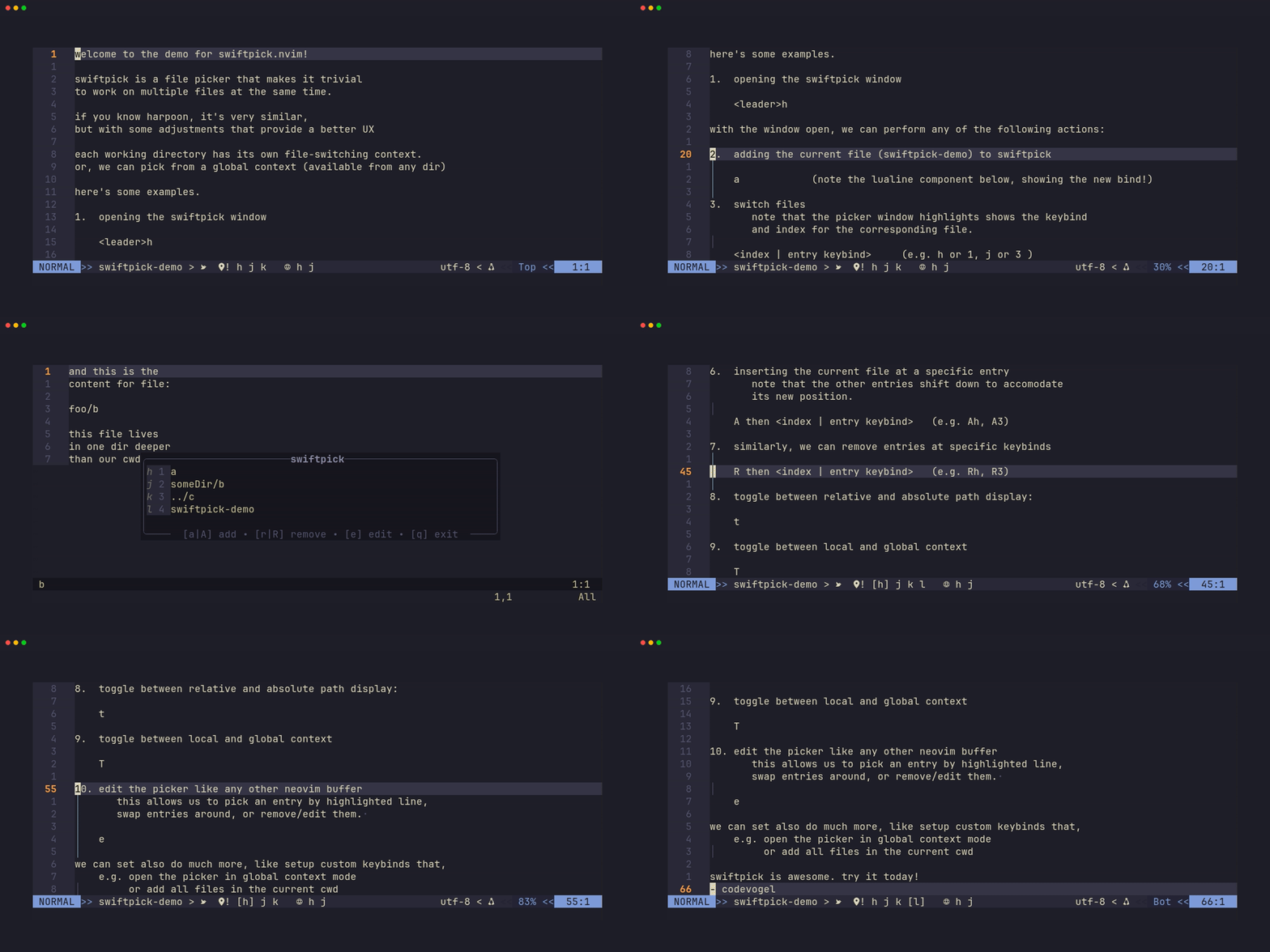
Key Features
- Instant File Navigation: Achieve rapid file switching using just one or two keystrokes.
- User-Friendly Editing: Modify the switch list as easily as working with a standard buffer.
- Contextual Awareness: Opt for separate file lists for each project or maintain a single global list.
- Path Display Flexibility: Switch between displaying relative and absolute file paths.
- Customizable Hotkeys: Easily manage file entries using configurable key bindings.
- Entry Management: Compact your list by removing empty or duplicate entries effortlessly.
- High Configurability: Tailor key mappings, picker hints, and additional options according to personal preferences.
- Lualine Support: Instantly view available key bindings in the status line for enhanced usability.
Usage Examples
Quickstart for lz.n
Below is a sample configuration snippet for integrating with lz.n:
return {
  "swiftpick.nvim",
  keys = {
    { "<leader>h", "<CMD>SwiftPick", desc = "Open SwiftPick" },
    { "<leader>H", "<CMD>SwiftPickGlobal", desc = "Open SwiftPick [Global]" },
  },
  after = function()
    require("swiftpick").setup({
      -- your options here
    })
  end,
}
Quickstart for lazy.nvim
Similarly, here’s how to configure swiftpick.nvim with lazy.nvim:
return {
  "codevogel/swiftpick.nvim",
  opts = {
      -- your options here
  },
  keys = {
    { "<leader>h", "<CMD>SwiftPick", desc = "Open SwiftPick" },
    { "<leader>H", "<CMD>SwiftPickGlobal", desc = "Open SwiftPick" },
  },
}
Manual Setup
A minimal manual setup can be achieved using the following code:
require("swiftpick").setup({})
vim.keymap.set("n", "<leader>h", function()
  require("swiftpick.actions").open_picker()
end, { desc = "Open SwiftPick" })
vim.keymap.set("n", "<leader>H", function()
  require("swiftpick.actions").open_picker({ use_global_context = true })
end, { desc = "Open SwiftPick" })
Configuration Options
This plugin is ready to use out of the box with minimal configuration needed. However, advanced users can explore various configuration options to tailor functionality:
- Global Context: Define whether to use a global or project-specific context.
- Path Display: Toggle between showing absolute or relative paths in the picker.
- Keybindings: Customize how key mappings function when the picker is open, allowing for a tailored experience.
Comparing with harpoon
swiftpick.nvim offers enhanced visibility compared to harpoon. While it allows for quick navigation without direct interaction with a picker, it also provides context and transparency regarding file assignments. This dual functionality ensures flexibility for various user preferences.
For those seeking an efficient file navigation solution within Neovim, swiftpick.nvim delivers a powerful and user-friendly experience.
No comments yet.
Sign in to be the first to comment.