Loading page…
Pitch
Description
Comments
A modern Django dashboard featuring DaisyUI for a responsive experience.
Project details
Django Daisy is a sophisticated admin dashboard that combines DaisyUI with TailwindCSS to deliver a smooth, user-friendly interface. Fully responsive and supporting RTL languages, it enhances usability with multi-theme options and advanced admin filtering, making administration tasks efficient and enjoyable.
Django Daisy is a modern and highly responsive admin dashboard designed using DaisyUI and TailwindCSS. This administration interface is crafted to deliver a polished user experience across all devices, from mobile to desktop, ensuring that users can manage their applications efficiently and effectively.
A live demonstration of Django Daisy is available at Live Demo.
Credentials: Username: demo, Password: demo
For RTL mode, access the demo here.
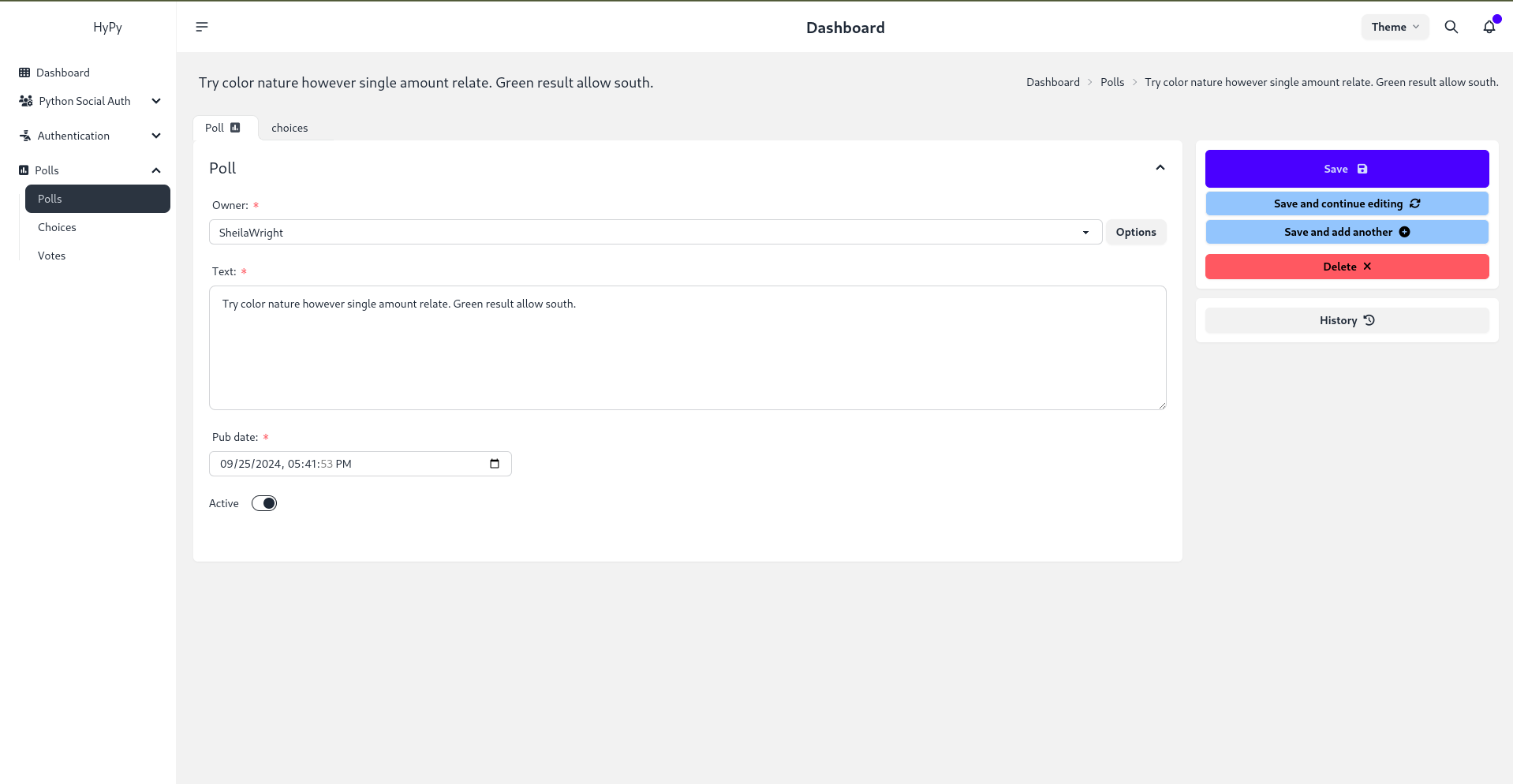
Django Daisy is compatible with Django versions 3.2 up to 5.1.1.
Continuous enhancement and feature updates are planned to improve the user experience.
Customize application-specific settings using the apps.py file. Here's an example for a Polls app:
class PollsConfig(AppConfig):
    name = 'polls'
    icon = 'fa fa-square-poll-vertical'  # Optional FontAwesome icon
    divider_title = "Apps"  # Optional title for the section divider
    priority = 0  # Order of the app in the sidebar
    hide = False  # True to hide from the sidebar
Define project-wide settings for customizing the admin interface through the DAISY_SETTINGS dictionary. Example:
DAISY_SETTINGS = {
    'SITE_TITLE': 'Django Admin',
    'SITE_HEADER': 'Administration',
    'INDEX_TITLE': 'Hi, welcome to your dashboard',
    'SITE_LOGO': '/static/admin/img/daisyui-logomark.svg',  # Path to logo
    'EXTRA_STYLES': [],  # List of additional stylesheets
    'EXTRA_SCRIPTS': [],  # List of additional scripts
    'LOAD_FULL_STYLES': False,
    'SHOW_CHANGELIST_FILTER': False,
    'DONT_SUPPORT_ME': False,
    'SIDEBAR_FOOTNOTE': '',
    'APPS_REORDER': {
        'auth': {
            'icon': 'fa-solid fa-person-military-pointing',  # Custom icon
            'name': 'Authentication',  # Custom app name
            'hide': False,  # Hide setting
            'app': 'users',  # Actual app to display
            'divider_title': "Auth",  # Divider title
        },
        # Additional app configurations
    },
}
To create a tabbed inline admin interface in your Django project:
NavTabMixin: Import in your admin.py file:
from django_daisy.mixins import NavTabMixin
NavTabMixin in your InlineAdmin class:
class ChoiceInline(admin.TabularInline, NavTabMixin):
    model = Choice
    extra = 1
ModelAdmin class:
@admin.register(Poll)
class PollAdmin(admin.ModelAdmin):
    inlines = [ChoiceInline]
To enable language switching:
urls.py: Add i18n URL path.LocaleMiddleware: Ensure it's included in your middleware.settings.py file.Contributions are welcome! Community members are encouraged to submit issues, suggestions, and pull requests to help improve Django Daisy.
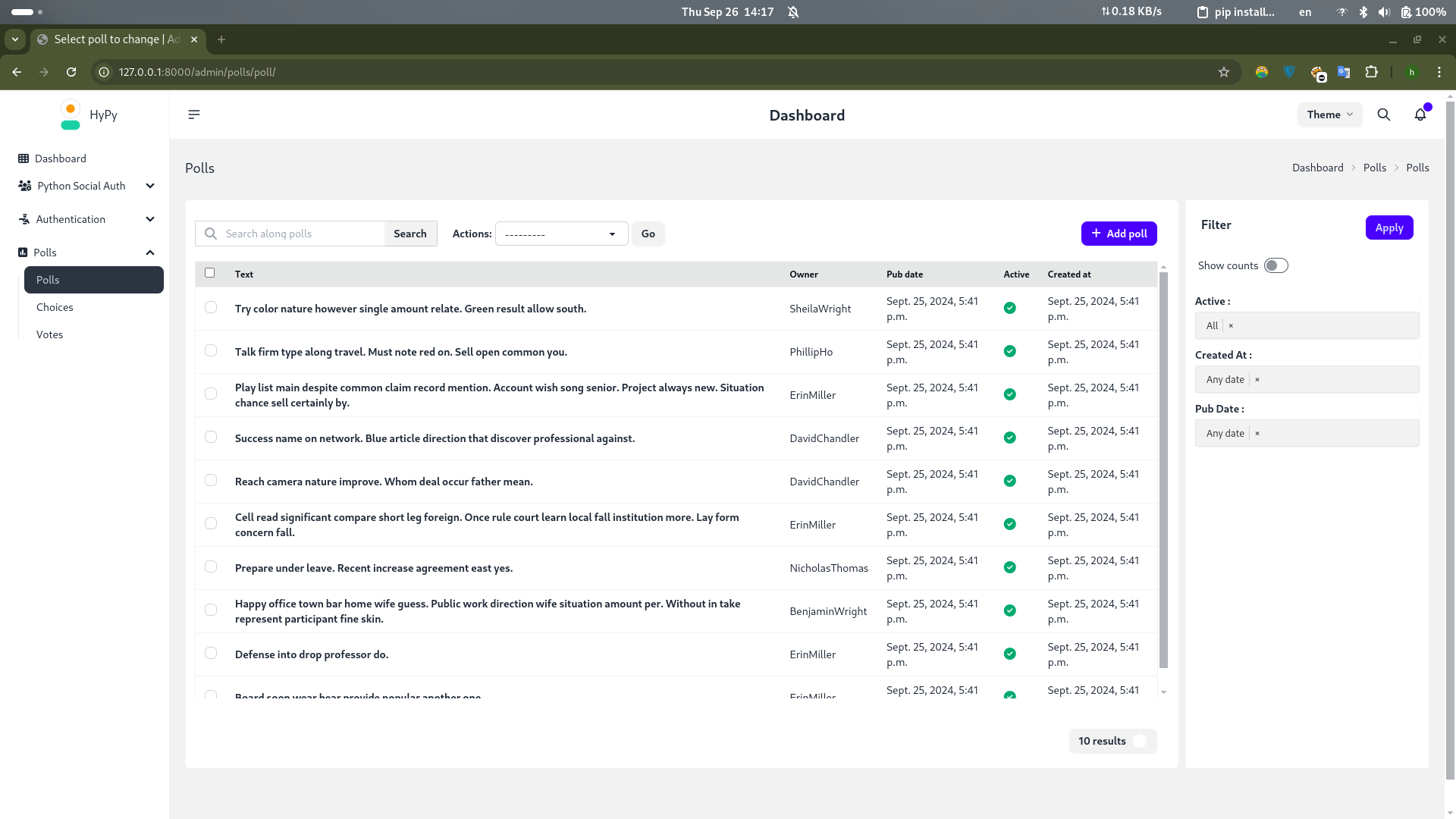
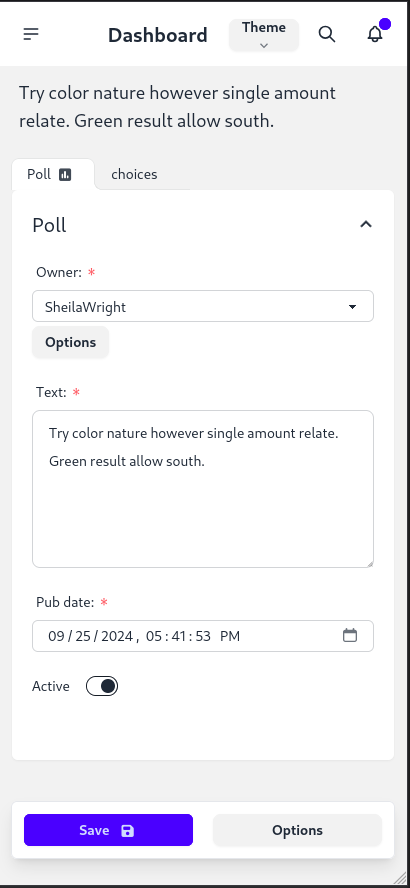
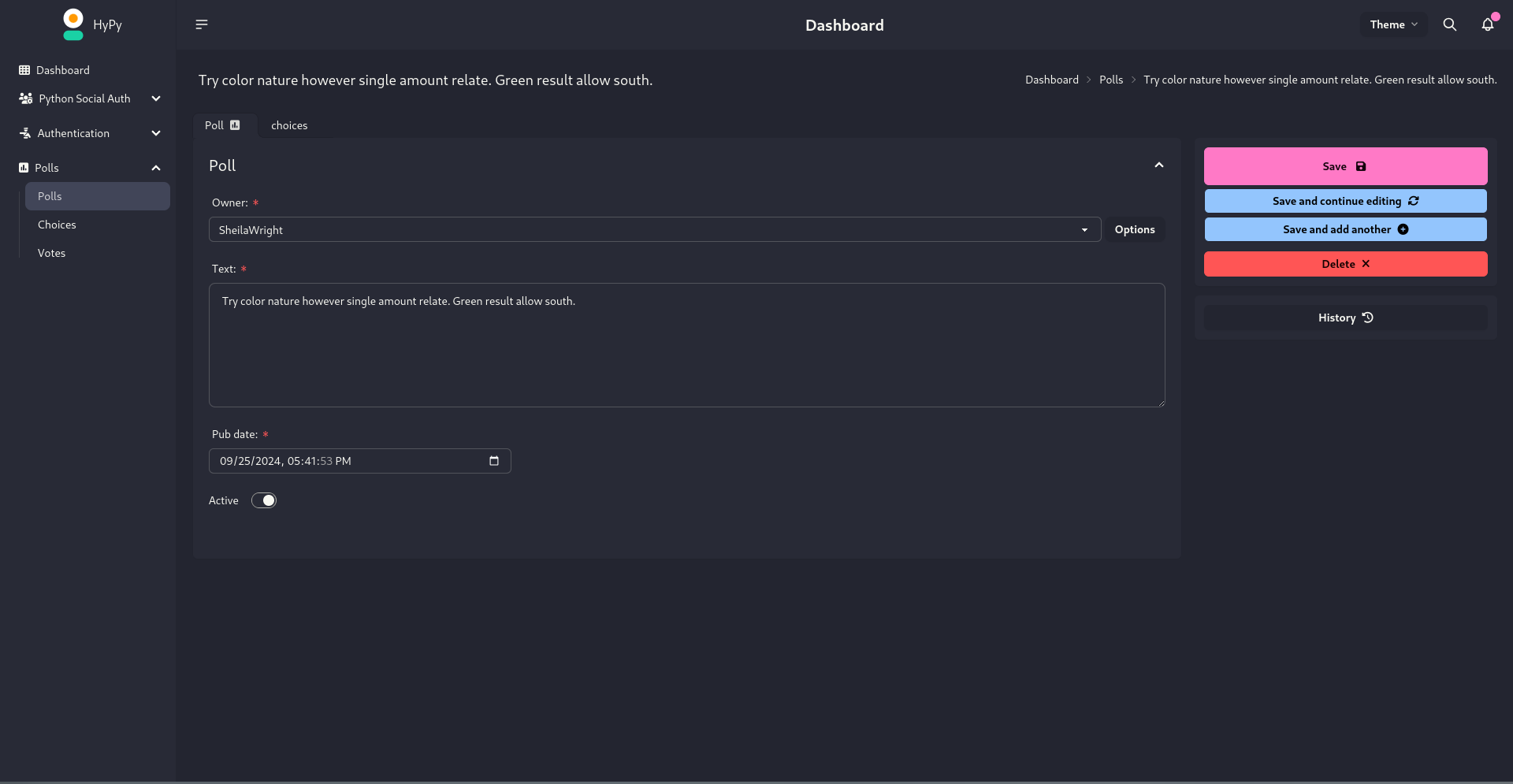
Special thanks to Cloud With Django for featuring this theme in their video. Demo Video: Watch Here.
Comments
0Start the conversation
Share the first comment.