Loading page…
Pitch
Description
Comments
Declarative desktop UI framework built for Go.
Project details
dxui offers a powerful and flexible interface for developing desktop applications using Go. With its component-based architecture, it provides everything needed to create modern UIs, from inputs and buttons to dynamic themes. Build applications seamlessly without the need for cgo, making it an ideal choice for pure Go developers.
dxui is an innovative framework designed for building desktop graphical user interfaces (GUIs) using the Go programming language. With a focus on declarative programming, dxui allows developers to define user interfaces in a straightforward manner, enhancing productivity and maintainability.
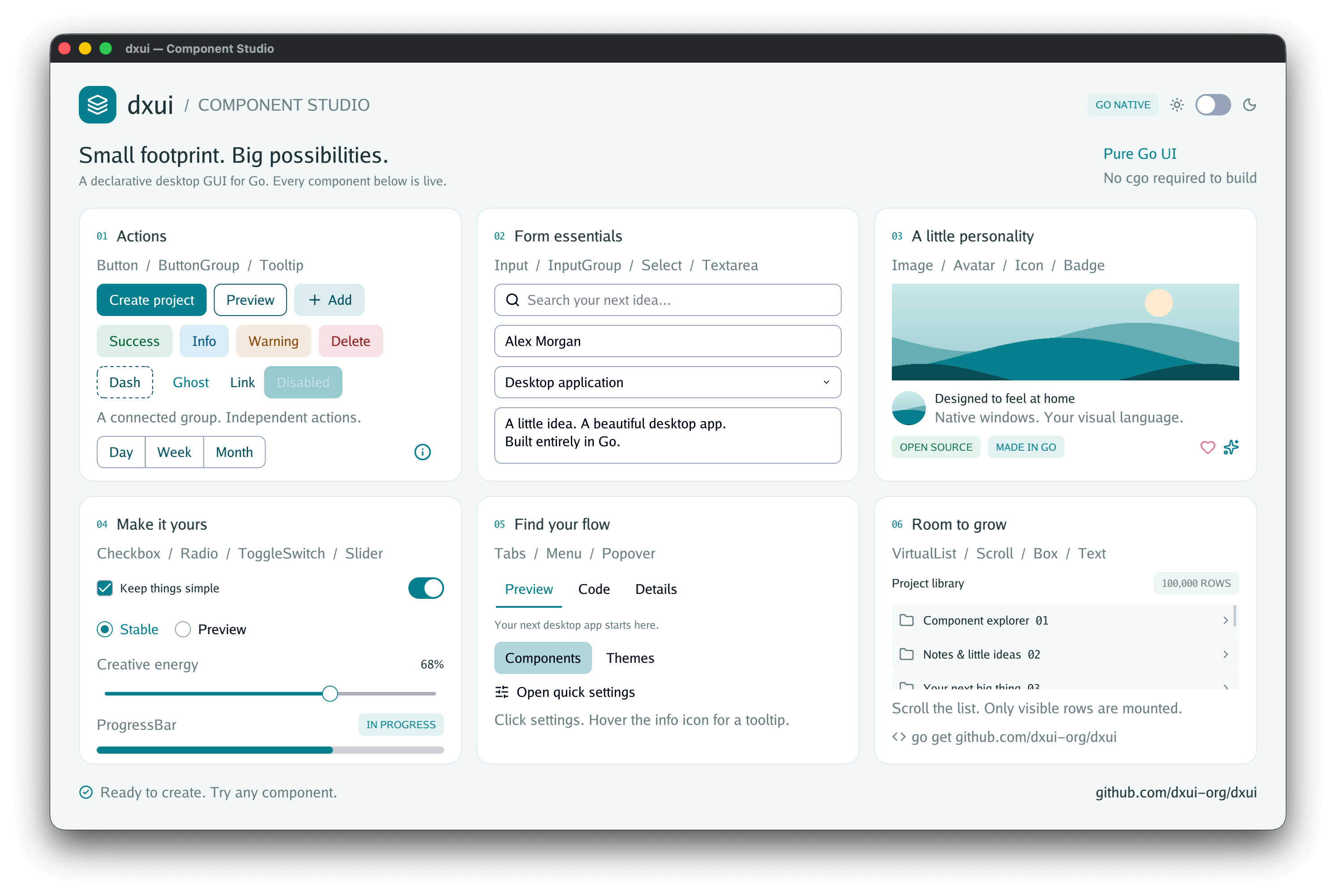
View descriptions with strongly-typed properties and callbacks. The framework employs an internal retained tree to efficiently reconcile changes.CGO_ENABLED=0.github.com/dxui-org/dxui/icon.Getting started with dxui is simple. It requires Go version 1.25 or newer and a native desktop environment to run GUI examples. Developers can quickly run example applications by navigating to the examples directory and executing them using go run.
Here's a basic example of how to set up a simple application using dxui:
package main

import (
	"log"
	"github.com/dxui-org/dxui"
)

func main() {
	app := dxui.NewApp(dxui.AppOptions{
		Title: "Hello dxui", Width: 480, Height: 240,
	})
	name := ""

	root := func() dxui.View {
		return dxui.Box(dxui.BoxProps{
			Style: dxui.Style{Padding: dxui.Padding(24)},
			Gap:   12,
		},
			dxui.Label("What is your name?"),
			dxui.Input(dxui.InputProps{
				Key: "name", Value: name, Placeholder: "Your name",
				OnChange: dxui.Assign(&name),
			}),
			dxui.Label("Hello, " + name + "!"),
			dxui.TextButton(dxui.ButtonProps{OnPress: app.Close}, "Close"),
		)
	}

	if err := app.Run(root); err != nil {
		log.Fatal(err)
	}
}
In this example, the application greets the user based on the input they provide.
dxui offers a comprehensive range of components suitable for various development needs:
Box, Scroll, VirtualListText, Label, Icon, Image, AvatarButton, TextButton, ButtonGroup, InputGroupInput, Textarea, Select, Checkbox, Radio, ToggleSwitch, SliderTabs, Menu, Popover, TooltipBadge, ProgressBarThe repository contains various examples to showcase the capabilities of dxui. Developers can run specific examples to see components in action, including:
dxui encourages contributions in the form of bug reports, documentation enhancements, and focused code contributions. For detailed development and testing, a POSIX-compatible shell with make installed is recommended to execute testing and build scripts efficiently.
Comments
0Start the conversation
Share the first comment.