Loading page…
Pitch
Description
Comments
Project details
Erys provides a powerful terminal interface for managing Jupyter Notebooks, allowing users to create, edit, and run notebooks seamlessly. With features like a directory tree for easy navigation and efficient key bindings, Erys enhances the Jupyter experience in a terminal environment, making it ideal for users who prefer command-line tools.
Erys: Terminal Interface for Jupyter Notebooks
Erys is an innovative tool designed for efficiently opening, creating, editing, running, and interacting with Jupyter Notebooks right from the terminal. This project leverages the Textual framework for its user interface and utilizes jupyter_client for seamless code execution with various kernel managers and clients.
Open Existing Notebooks: Erys supports various formats of notebook versions and saves notebooks using format version 4.5.
Create Notebooks: Create, edit, and save Jupyter Notebooks effortlessly.
Code Execution: Execute Python source code within code cells. Erys requires ipykernel installed in your Python environment for code cell execution, ensuring a clean management of kernels.
Terminal Rendering Capabilities: Supports rendering for Markdown, JSON, and error messages, enhancing the terminal experience.
Markdown widget, while JSON uses a Pretty widget.Syntax Highlighting: Features robust syntax highlighting for Python and Markdown, utilizing Textual. Additionally, syntax highlighting through tree-sitter is available for various programming languages, making it easy to work with files of different types:
| Extension | Language |
|---|---|
| .py | Python |
| .md | Markdown |
| .yaml | Yaml |
| .sh | Bash |
| .css | Css |
| .go | Go |
| .html | Html |
| .java | Java |
| .js | Javascript |
| .json | Json |
| .rs | Rust |
| .toml | Toml |
| .xml | Xml |
Erys provides a variety of features for managing Markdown and Code cells, including:
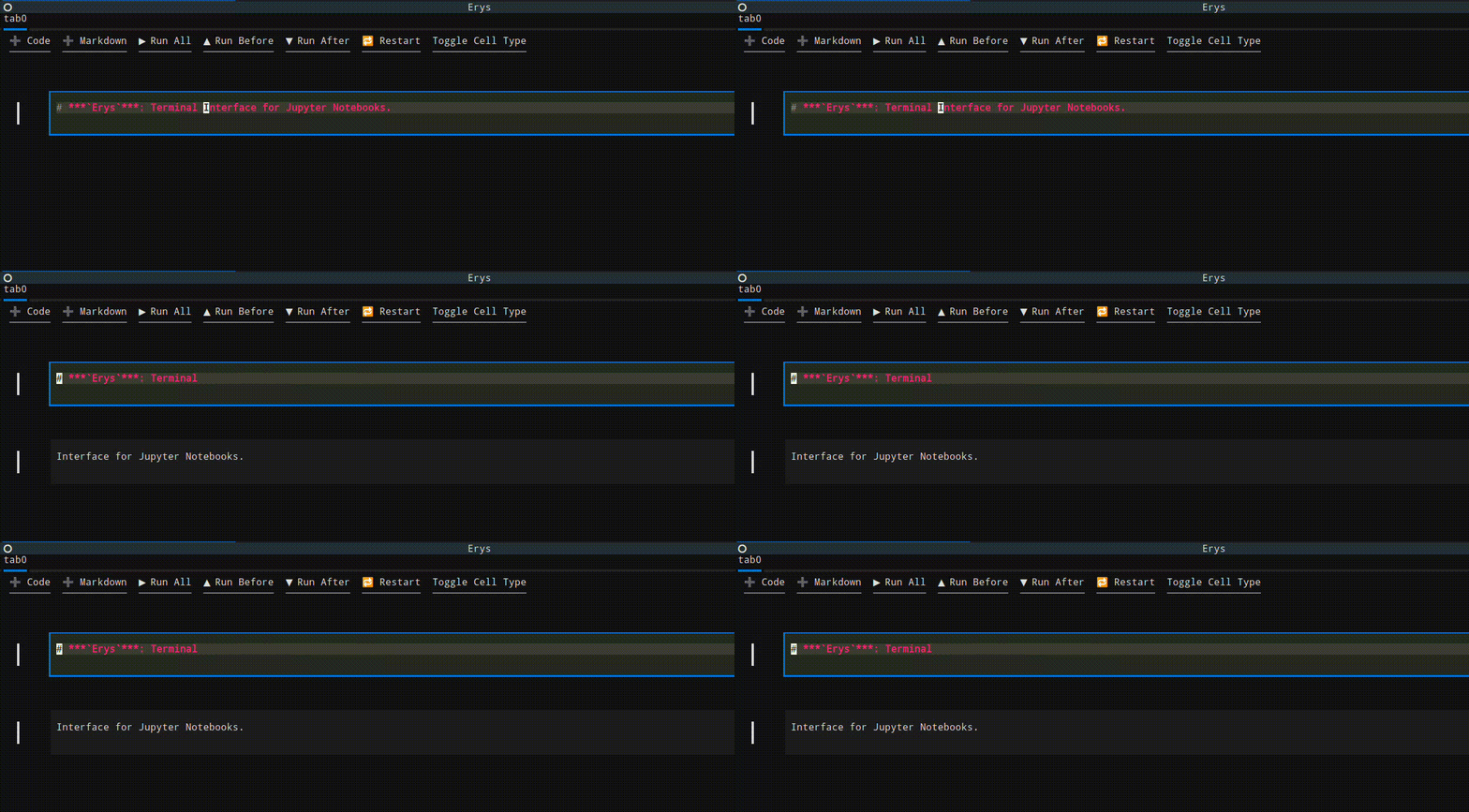
Erys offers comprehensive key bindings for improved usability. Key bindings are context-sensitive, based on the current focus, allowing users to navigate and utilize features easily.
Upcoming features aim to enhance the functionality of Erys, including execution time tracking for code cells, theme customization options, and support for additional output types.
Contributors are welcome! Feedback and pull requests are encouraged to enhance and develop this tool further.
Comments
0Start the conversation
Share the first comment.