Loading page…
Pitch
Description
Comments
Project details
FeatLens offers a model-agnostic visualization tool for feature maps in vision models. It enables visualization from numerous models and layers using techniques like PCA, cosine similarity, and more. With its user-friendly interface, exploring model representations has never been easier, unlocking insights into how vision models perceive images.
FeatLens offers a powerful, model-agnostic feature map visualization tool specifically designed for vision models. With capabilities to render feature maps from various well-known architectures such as DINO, DINOv2, DINOv3, CLIP, and more, FeatLens provides insights into the inner workings of deep learning models by allowing users to analyze features from any layer and any model source including timm, Hugging Face transformers, and external repositories.
To visualize feature maps from a model, the following code snippet illustrates how to use FeatLens effectively:
import featlens as ll

# Visualize feature maps using the DINO model at specified layers.
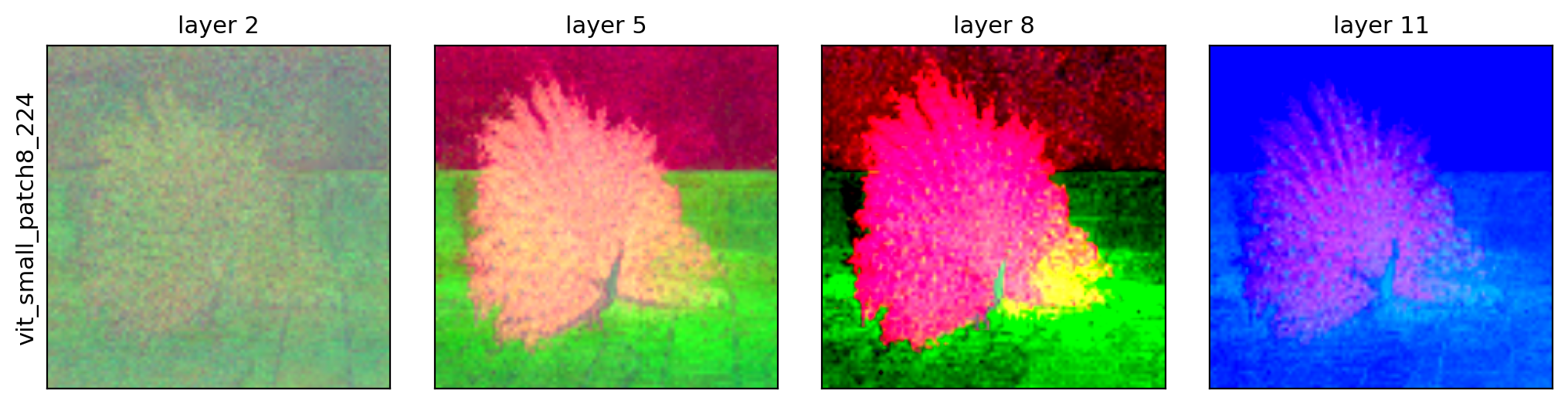
ll.visualize("dinov2_vitb14", "img.jpg", layers=[2, 5, 8, 11], out="row.png")
An example demonstrates how to compare models at their final layer:
# Compare multiple models at the final layer.
ll.compare(["dino_vitb16", "mae_vitb16", "clip_large_openai"], "img.jpg", layer=-1, out="cmp.png")
The gallery section shows a variety of visual outputs including feature maps for images like peacocks, cats, and market scenes, showcasing how different models respond to the same input image:
By utilizing FeatLens, researchers and developers can better understand the nuances of vision models, leading to improved model development and deployment strategies. For full documentation and additional examples, please visit the official documentation.
Explore the feature maps of any vision model in-depth with FeatLens, enhancing the interpretability of deep learning algorithms.
Comments
0Start the conversation
Share the first comment.