Loading page…
Pitch
Description
Comments
A simple GUI tool to get information about computer hardware and software (Linux, Rust, iced)
Project details
FSM provides a simple, modern and user-friendly interface for obtaining information about the hardware (processor, memory, drives, etc.) and software (distribution, kernel, installed software, users and groups, etc.) of a PC running Linux OS, as well as monitoring its status in real time.
FSM (Ferrix System Monitor) is a simple GUI program to get information about computer hardware and installed software.
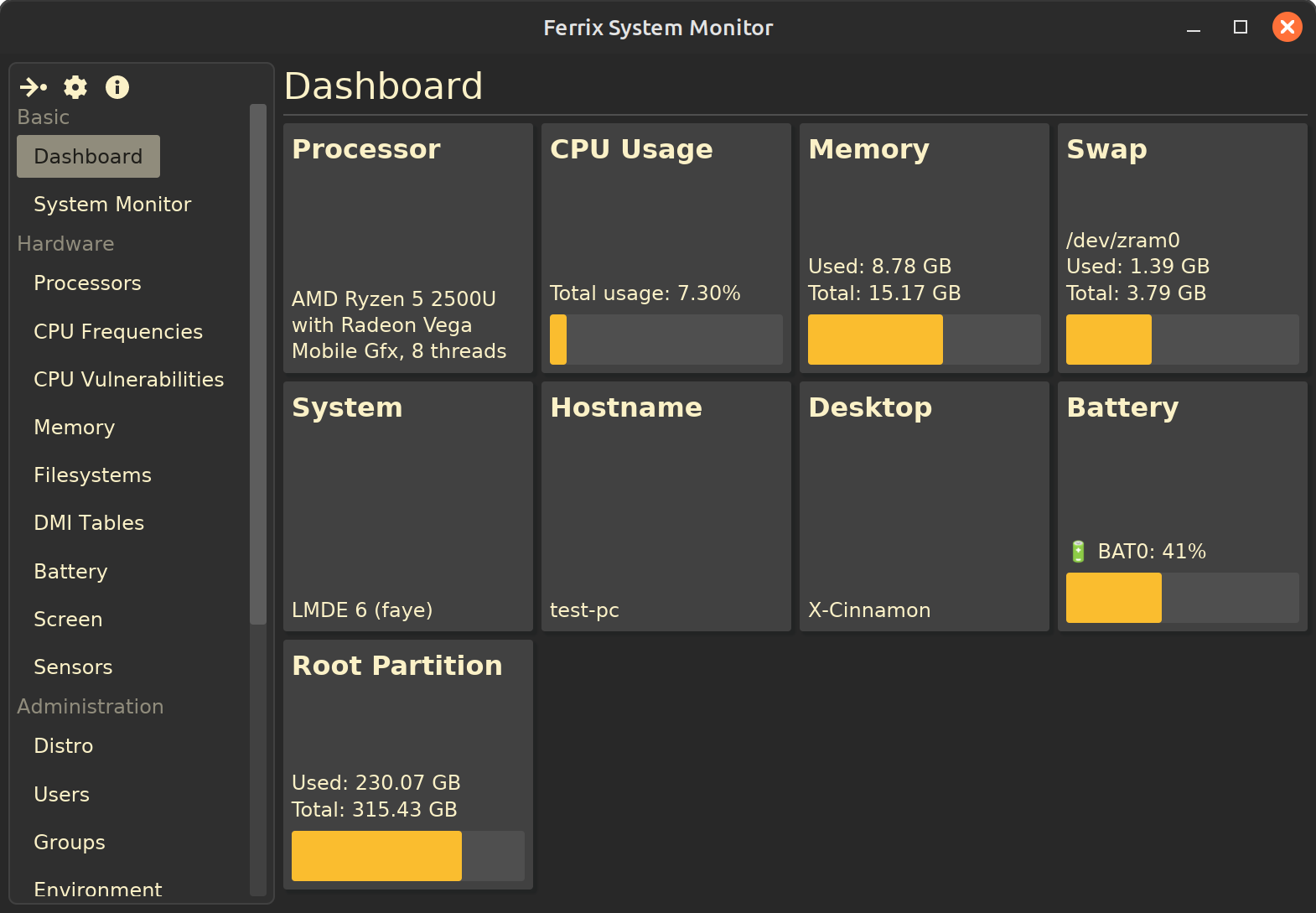
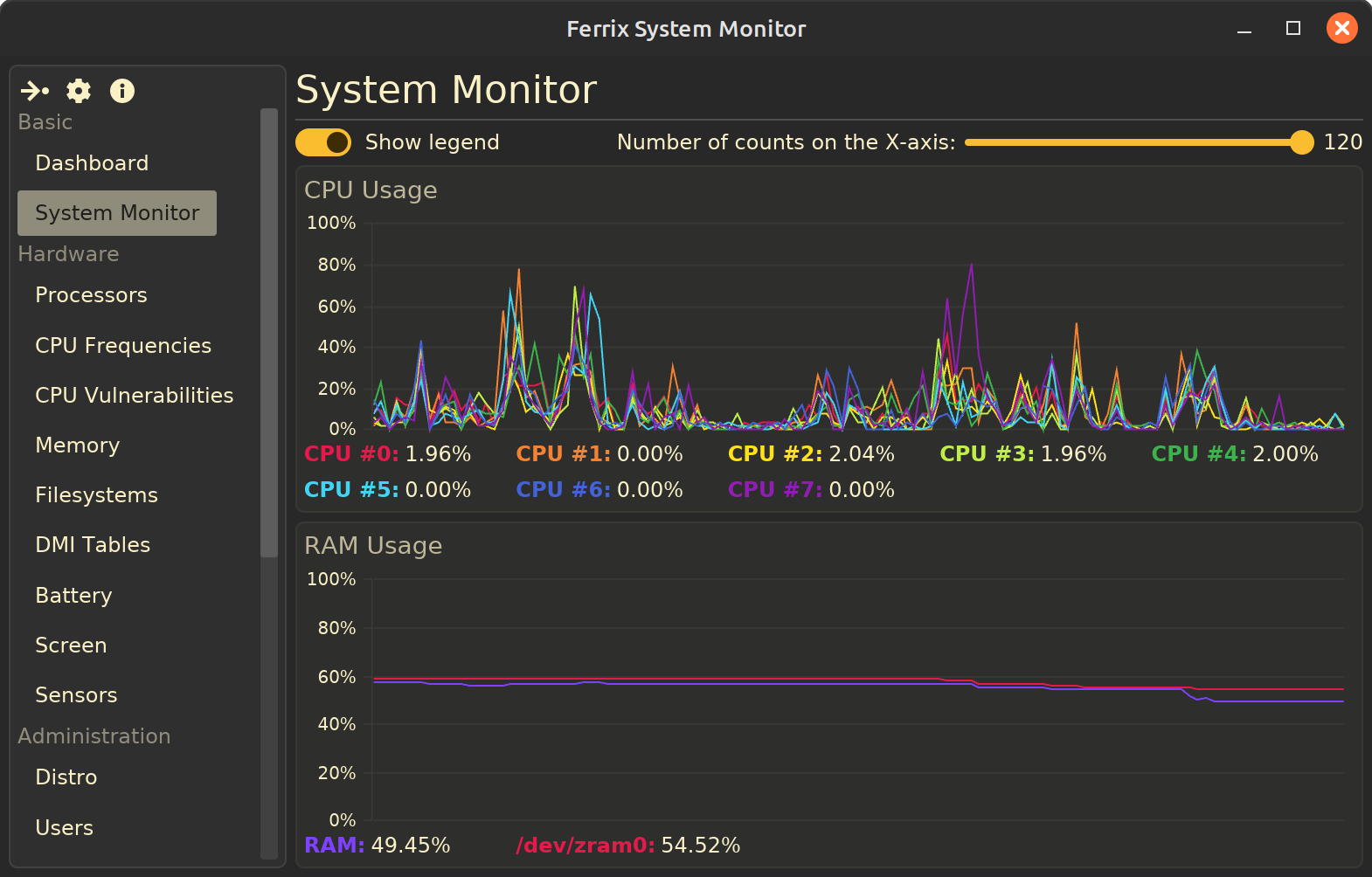
The FSM can get and display the following information about PC and OS components in a simple and understandable way:
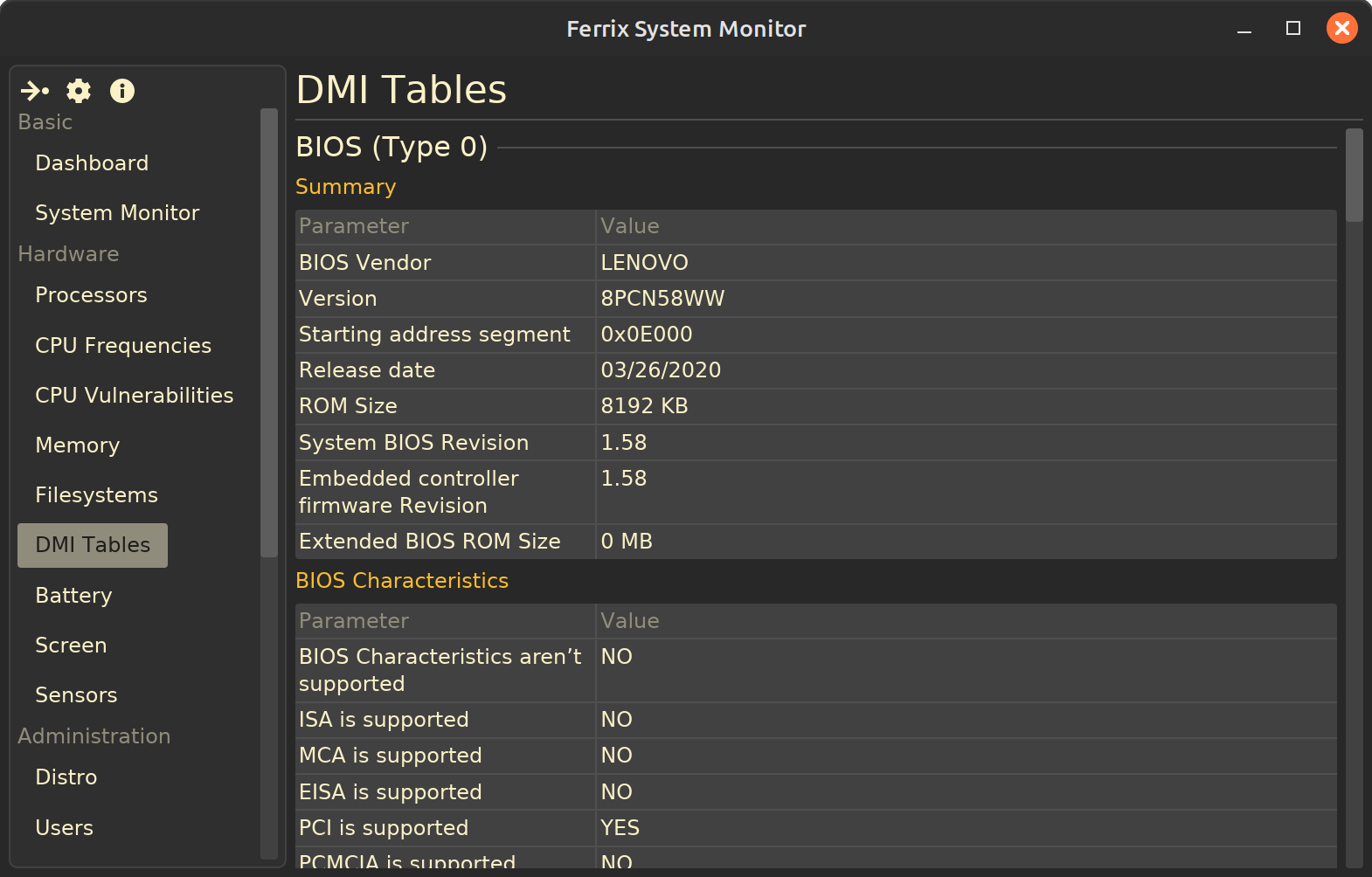
deb and rpm packages;systemd services, information about installed Linux distro, some DMI tables;Page with some DMI tables:
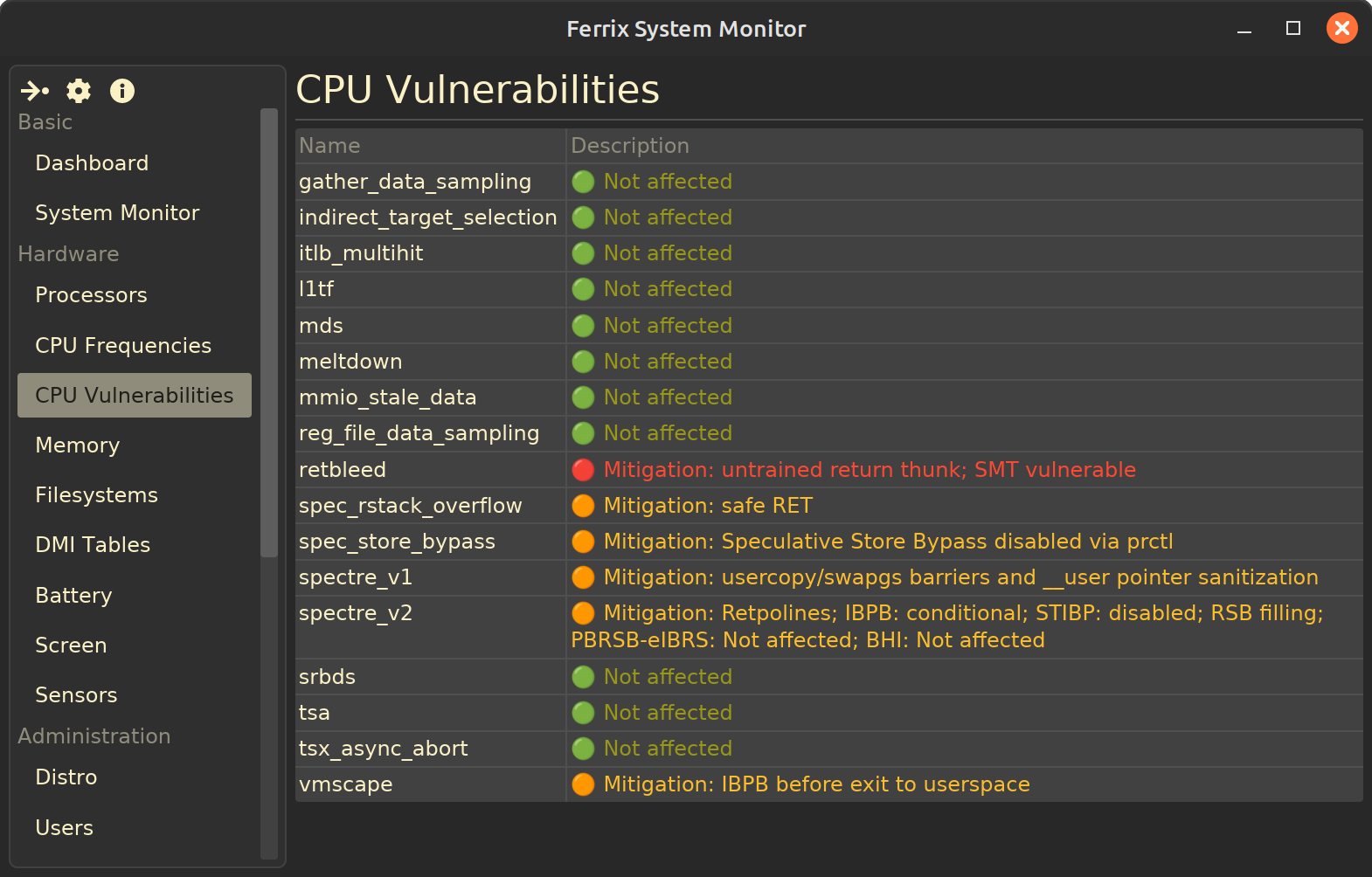
Processor vulnerabilities list:
systemd services list:
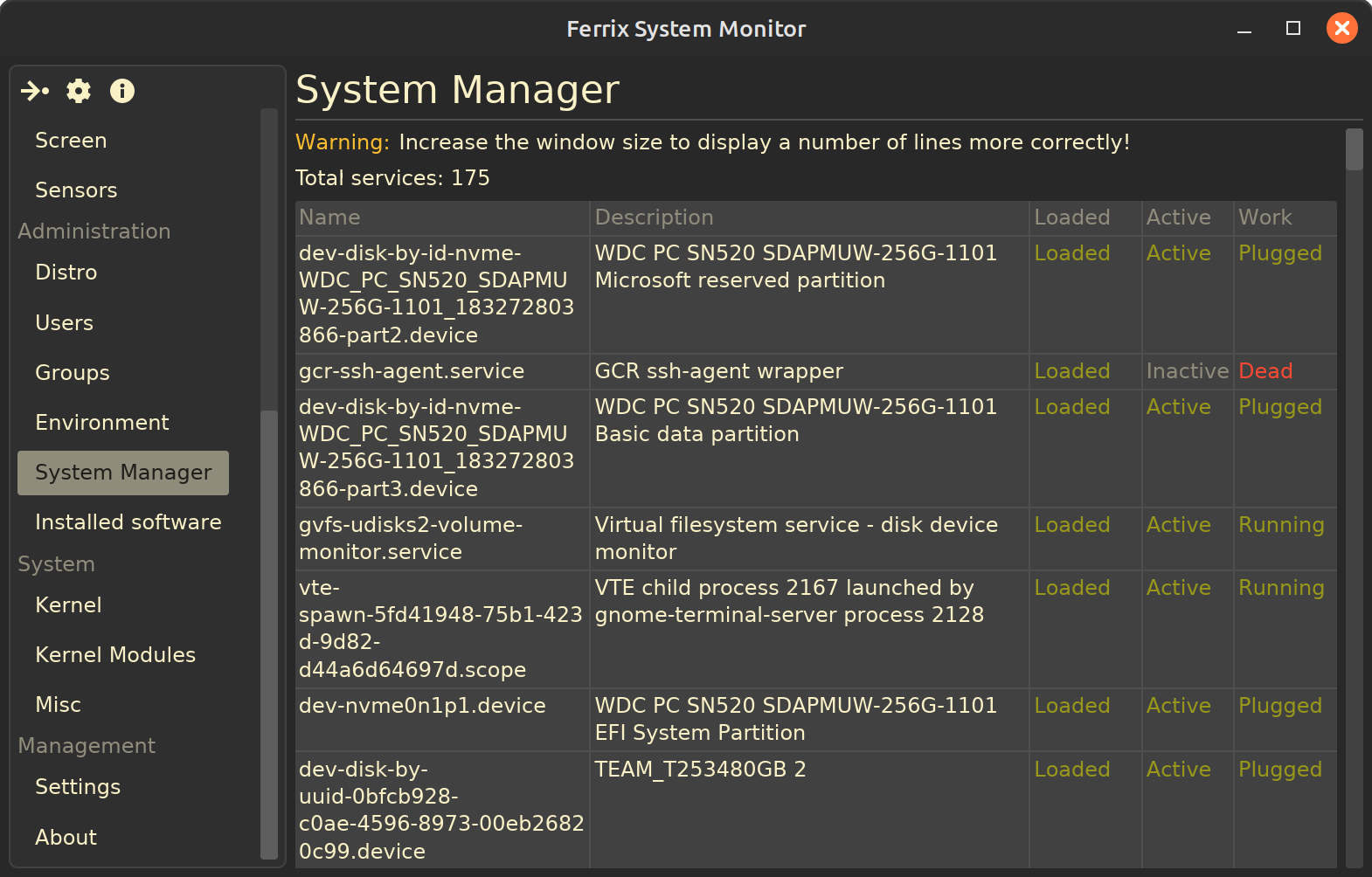
... and other screenshots.
The FSM is created using the following technologies:
iced;glibc;Ferrix is a free and open-source project, and contributions are welcomed. Users are encouraged to star the repository to aid in discovery, provide feedback in the issues section, and share their experiences. Support through donations can also be made via Boosty to help maintain and improve the project.
Comments
1Meanwhile, I have released a new version of FSM v0.6.0! Among the changes, I can mention:
More info about this release: GitHub.