Loading page…
Pitch
Description
Comments
A coding harness for efficient engineering workflows.
Project details
Forge CLI empowers engineers with a structured SDLC, enabling project-specific knowledge base generation, sprint workflows, and agent personas directly from the terminal. It seamlessly integrates with pi-coding-agent to enhance productivity while ensuring adaptability across various coding environments.
Forge CLI is a powerful tool that transforms the way engineering software is developed by porting the Software Development Life Cycle (SDLC) onto the pi-coding-agent, specifically designed as a TypeScript extension. With Forge, project-specific engineering knowledge bases, sprint workflows, agent personas, and a complete SDLC pipeline are generated and managed directly from your terminal.
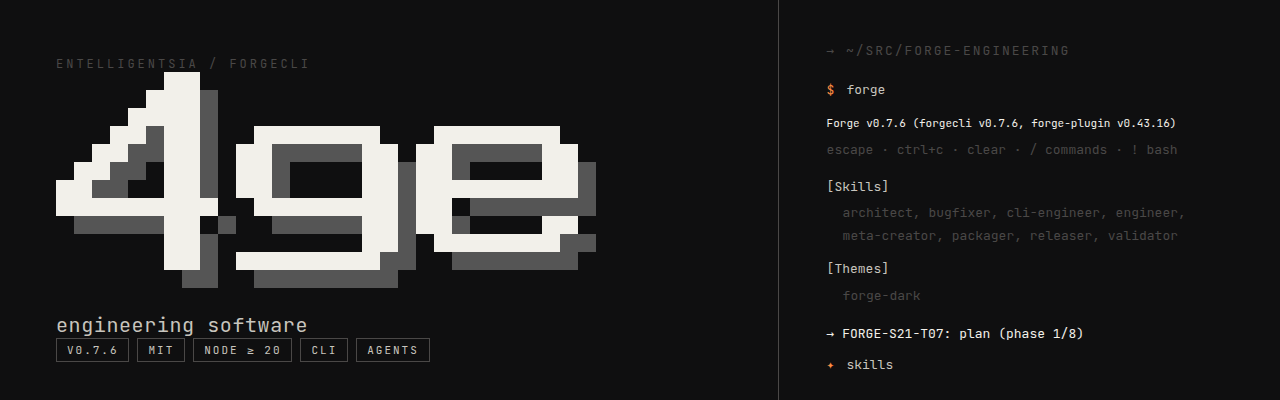
Structured SDLC in Any Terminal: Facilitate project phases from planning, implementation, and review, to validation and commit chains. Users can utilize custom personas and gated audience rules to streamline their development process.
Cumulative Project Memory: The knowledge base is continuously refined, ensuring every sprint benefits from the experiences and learnings of the previous ones.
Skills Relevance: The integrated SkillOS-style curation loop identifies and categorizes skill levels, allowing for continual learning and adaptation within the project environment. This feature includes five subkinds for surfacing model interactions, enabling effective management of skills as the codebase evolves.
Model Agnostic: Supports various AI models including those from Anthropic, OpenAI, and ollama, ensuring flexibility according to project needs.
4ge init claude . and access it via /forge:* slash commands. This method updates the integration process by replacing the deprecated marketplace plugin install.To quickly launch and manage your project development with Forge CLI, follow these simple commands:
cd your-project
forge                    # Start the Forge CLI
> /forge:init            # Set up your knowledge base, personas, and workflows
> /forge:new-sprint      # Initiate a new sprint
> /forge:plan-sprint     # Break down requirements into actionable tasks
> /forge:run-sprint S01  # Execute the planned sprint
> /forge:retro S01       # Close the sprint and review learnings
The /forge:init command not only sets up the environment but also:
1. Collects parallel discovery scans to configure the project.
2. Discovers key documents and project-context information.
3. Generates necessary personas, workflows, and commands.
4. Registers a manifest alongside cache and store entries.
This process is designed to be idempotent, allowing users to resume where they left off seamlessly.
Forge CLI offers a range of commands structured into categories that facilitate setup, execution, chaining tasks, and health checks for your projects. For instance:
SETUP    /forge:init          # Initialize Forge SDLC
RUN      /forge:run-sprint    # Execute all tasks in a sprint
CHAIN    /forge:plan          # Plan your sprint
ASK      /forge:health        # Check knowledge base status
A comprehensive reference for commands is available in the CLI reference documentation.
To explore Forge CLI further, visit the following resources:
Forge CLI stands out as a versatile and robust coding harness for software engineering, encouraging effective agile methodologies and continuous learning in any development environment.
Comments
0Start the conversation
Share the first comment.