Loading page…
Pitch
Description
Comments
One / popup for commands, files, settings, Git and scripts in VS Code
Project details
Slashi is a free, open-source VS Code extension for developers who are tired of switching between the Command Palette, Quick Open, the Settings UI and a terminal. Press Cmd/Ctrl + / and one popup searches all of them, plus Git and your project's own scripts. No telemetry, MIT-licensed.
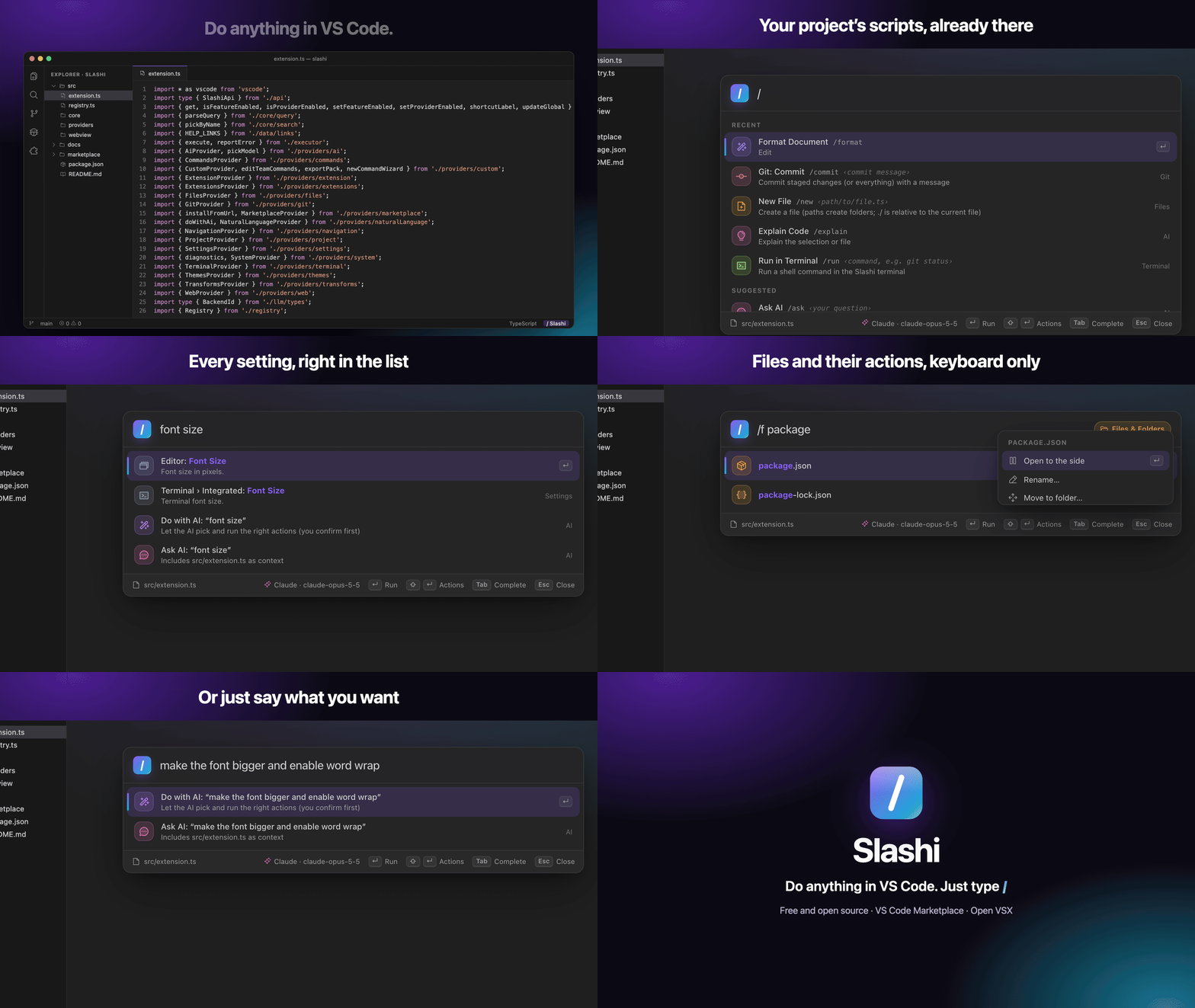
I was jumping between five places in VS Code for things I do dozens of times a day: the Command Palette for commands, Quick Open for files, the Settings UI, the Source Control view and a terminal. Slashi puts them behind one shortcut.
/format, /zen), every extension command and setting, files, open tabs, symbols, problems, Git branches and themes./test, /dev, /compose-up. /test --watch passes arguments through./f files, /git, /set settings, /npm scripts, /ext extensions, /err problems, /@ symbols..vscode/slashi.json./ask, /fix, /commit-msg, /review-changes, and /do <plain English>, which turns a sentence into a plan of real commands and settings that you confirm before it runs. Works with GitHub Copilot, Claude, OpenAI, Claude Code/Codex, Ollama or any OpenAI-compatible server.code --install-extension meness.slashiPress Cmd / on macOS or Ctrl / on Windows and Linux, then type. By default Slashi moves "toggle line comment" to Cmd/Ctrl Alt /; one setting (slashi.shortcut.useSlashKey) gives you the default back.
Other extensions can add commands or a whole provider with its own scope, for example /jira listing your tickets. See the guide.
v0.6, free and MIT-licensed. Source, issues and roadmap: github.com/meness/slashi. Feedback is very welcome.
Comments
0Start the conversation
Share the first comment.