Loading page…
Pitch
Description
Comments
Run anything at startup on Mac, by simply placing it in a special folder
Project details
StartupFolder allows for seamless automation of startup tasks by creating a dedicated folder in your home directory. Simply place apps, scripts, or shortcuts in the Startup folder and they will run automatically when the system starts. Enjoy a lightweight and unobtrusive background agent that uses minimal resources while managing your startup items.
StartupFolder is a utility application that facilitates the execution of various items at system startup with ease and efficiency. By creating a dedicated Startup folder within the home directory, users can automate the launching of applications, scripts, shortcuts, and links seamlessly.
Versatile Functionality: Any item placed in the Startup folder will automatically run upon startup. This includes:
Lightweight Operation: The application functions via a background agent that ensures all startup items are launched and managed without consuming system resources, ensuring optimal performance.
User-Friendly Drag and Drop Interface:
Command-Option.Shortcut Name.shortcut within the folder.Intuitive Management: The built-in interface allows users to conveniently select applications, manage shortcuts, create scripts, and oversee all startup items, simplifying the process of automating startup tasks.
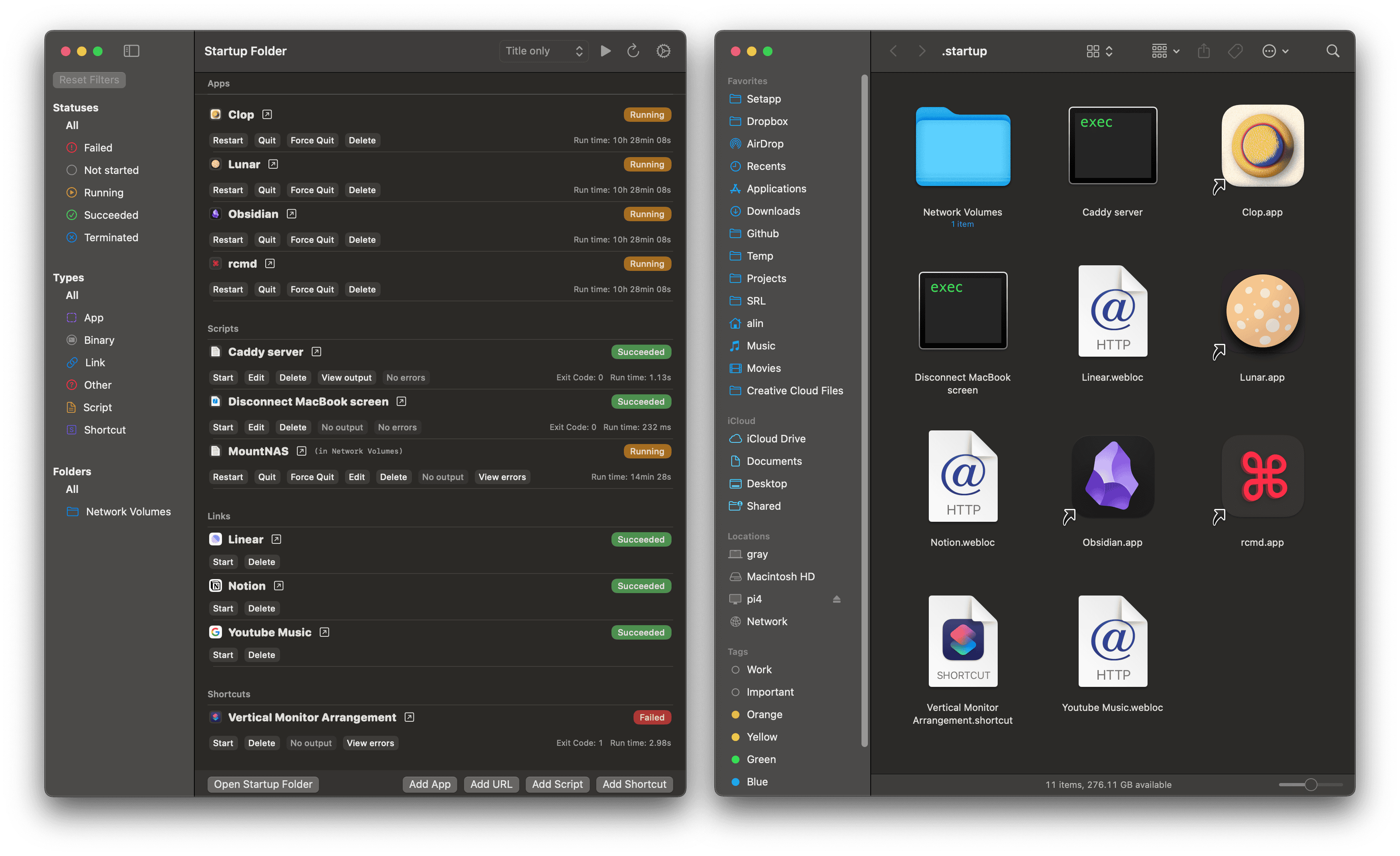
This straightforward approach to managing startup items helps users save time and streamline their workflow while maintaining system performance. Whether organizing applications or automating routine tasks, StartupFolder provides a simple yet powerful solution.
Comments
0Start the conversation
Share the first comment.