Loading page…
Pitch
Description
Comments
A Mac menu bar app that warms and dims your screen on a schedule you set
Project details
Sundown sits in the Mac menu bar and moves the screen from daylight white toward amber and then red as the evening goes on, all the way down to 500 K, and it lowers the brightness along with it. You set the times once and it handles the rest, or you drag the warmth and brightness sliders yourself when you want a different look. It needs macOS 14 or later.
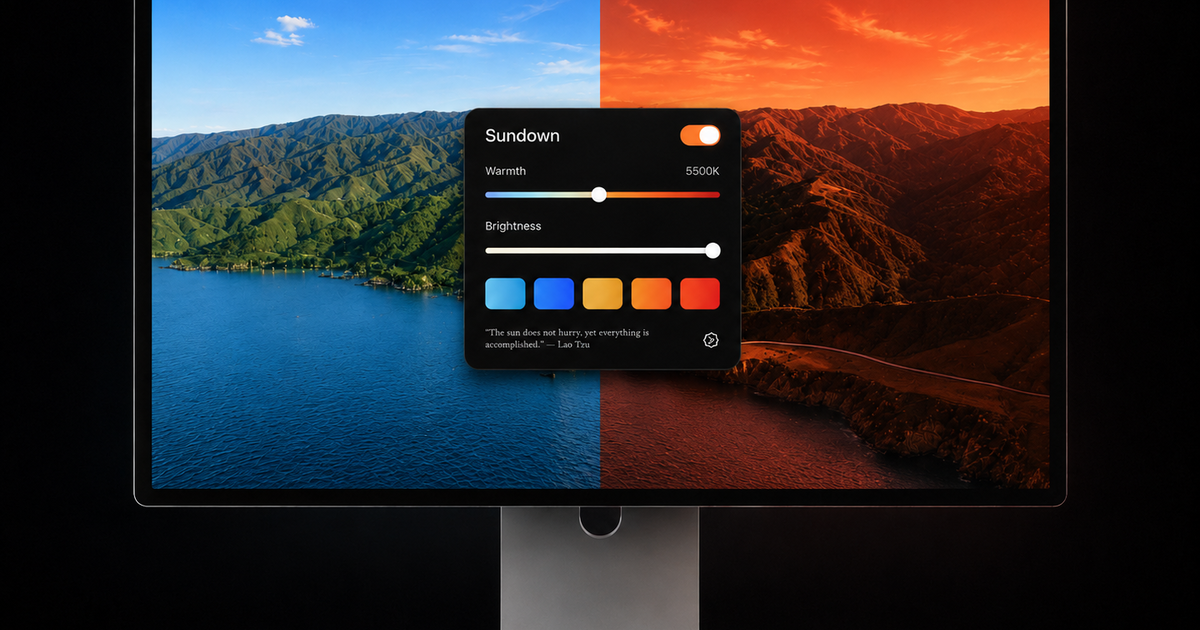
Sundown is a small app that lives in the Mac menu bar and changes the colour and brightness of the display in the evening. The usual screen white sits around 6500 K. Sundown can take it down in 100 K steps to 500 K, which is a deep red, and it brings the brightness down at the same time so the screen is not a bright amber box in a dark room.
Most people set a schedule and stop thinking about it. You pick when the evening starts and when you want the screen at its warmest, and the display drifts there on its own. If you would rather do it by hand, the panel has a warmth slider, a brightness slider and a row of presets you can switch between with one click.
There is a 7-day free trial. After that it is $4.99 a month, $39 a year, or $79 once for a lifetime licence. Sundown is made by Jack Richards.
If you want the reasoning behind the app, The science behind Sundown walks through it. There is also a free Blue Light Calculator you can use without installing anything, and Screen flicker and eye strain research collects the studies on that subject and says plainly where the evidence is thin.
Comments
0Start the conversation
Share the first comment.